AI Video Cropper
A 16:9 frame loses two-thirds of its width on the way to 9:16 — and a static center crop will happily cut your speaker in half. Eliro's AI tracks faces and movement, slides the crop window to follow the action, and keeps subjects clear of the caption and button zones that TikTok and Reels draw over your video.
- Crop Window That Follows Subjects
- 9:16, 1:1, 4:5, and Custom Ratios
- Subjects Kept Clear of Platform UI
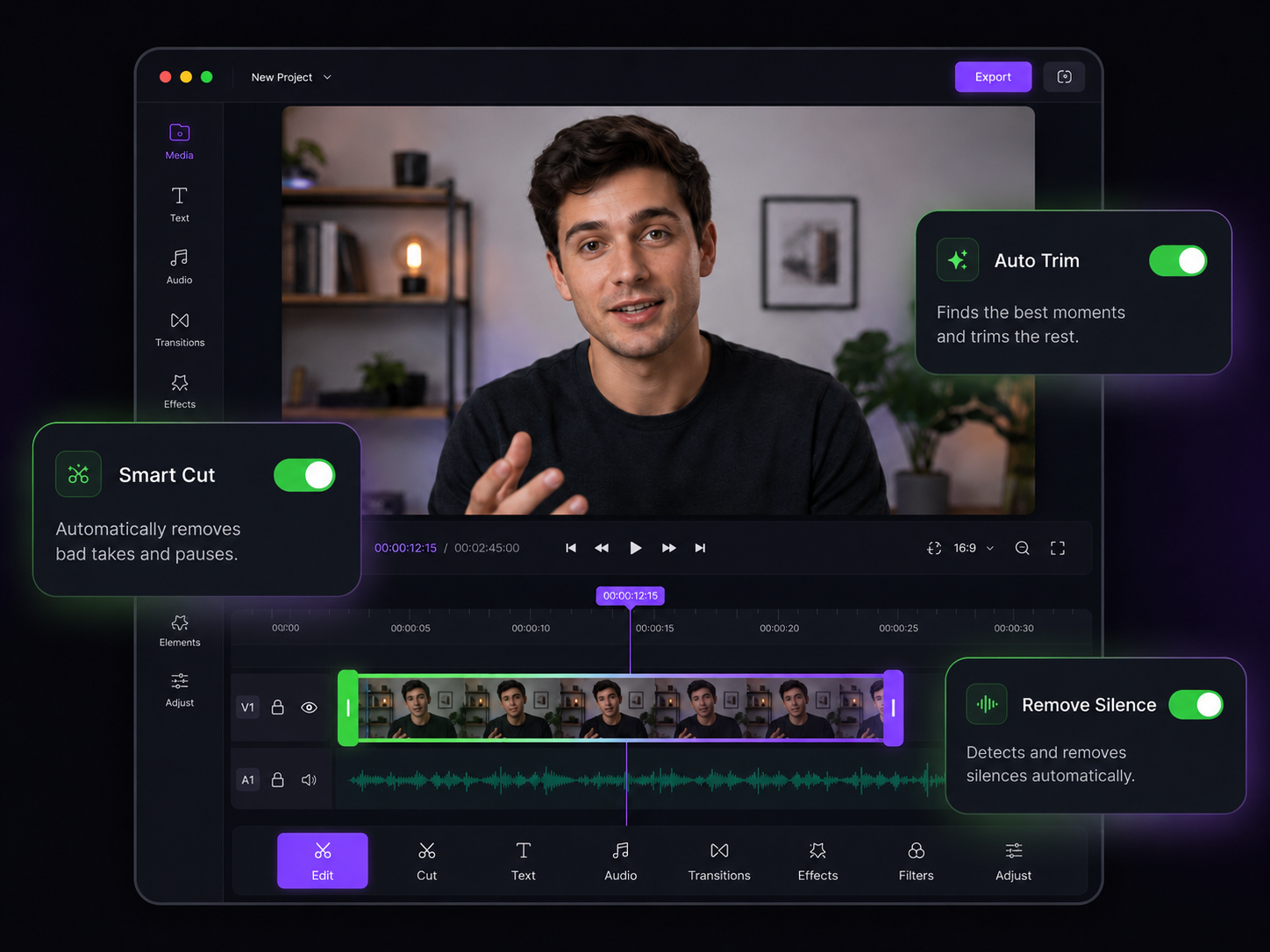
Reframing That Follows the Action
A moving crop window, planned by AI instead of keyframed by hand

Subject Tracking
The AI finds faces, speakers, and motion, then moves the crop with them. Your subject stays in frame even when they pace, lean, or switch sides.

Safe-Zone Aware Framing
TikTok and Reels overlay captions, buttons, and usernames on your video. The crop positions subjects away from those zones so nothing important gets covered.

Active-Speaker Switching
In podcasts and interviews, the crop cuts to whoever is talking — or splits the frame to show both guests stacked vertically.

Pans, Not Jumps
When the subject moves, the crop glides. Smoothed motion makes the reframed video feel camera-operated, not auto-generated.

Every Ratio in One Pass
Export 9:16 for Shorts, 1:1 for feed posts, and 4:5 for Instagram from the same source — each with its own tracked crop.

Original Pixels, Untouched
Cropping selects a region of the frame; it doesn't re-render the image. Everything inside the new frame keeps the source footage's full sharpness.
How Smart Reframing Works

Upload the Wide Cut
Drop in your 16:9 footage — talking head, interview, gameplay, or event recording. MP4, MOV, AVI, and MKV all work.

Pick the Target Ratio
Choose 9:16, 1:1, 4:5, or a custom ratio. The AI maps subjects across the whole timeline and previews the moving crop instantly.
Check the Preview, Then Export
Scrub through to confirm the framing, nudge anything you want, and download the reframed video — or publish it straight to your platforms.
Tools That Pair With Reframing
Once the framing is right, these finish the vertical edit.
AI Video Trimmer
Cut dead air before reframing so the AI only tracks footage you'll keep.
AI Video Resizer
Cropping sets the shape; the resizer sets the exact output resolution each platform wants.
AI Video Rotator
Level a tilted horizon before cropping so the tracked frame stays straight.
AI Video Stabilizer
Steady shaky handheld footage so the crop window isn't chasing camera wobble.
AI Subtitle Generator
Add captions sized and positioned for the new vertical frame.
AI Video Editor
Zooms, B-roll, and filler removal for the rest of the vertical edit.
Learn more about what you can do
Related Pages
Descript Alternative | Eliro vs Descript
Compare Eliro and Descript. Eliro generates complete videos from one prompt in 30 seconds.
TemplatePromo Video Maker — Sale-Ready in Minutes | Eliro
Make a promo video for your sale, launch, or event without an agency. Describe the offer; Eliro builds visuals, voiceover, and CTA in every ad format.
Free ToolFree Video Compressor | Reduce File Size Without Quality Loss
Compress videos for free without losing quality. Reduce file size by up to 90% for faster uploads, email attachments, and storage savings.
GuideHow to Make a Video Ad with AI — Script to Launch | Eliro
Learn how to make a video ad with AI: write the offer, generate hook variations, and export the right ratio for every placement. Test more creatives for less.