Text to Video Generator
Everything a video needs—script, footage, narration, captions—generated from text. Give Eliro a topic, a few bullet points, or a full draft, and it produces a publish-ready video with no camera, no mic, and no editing timeline. It's how faceless channels keep a posting schedule a film crew couldn't.
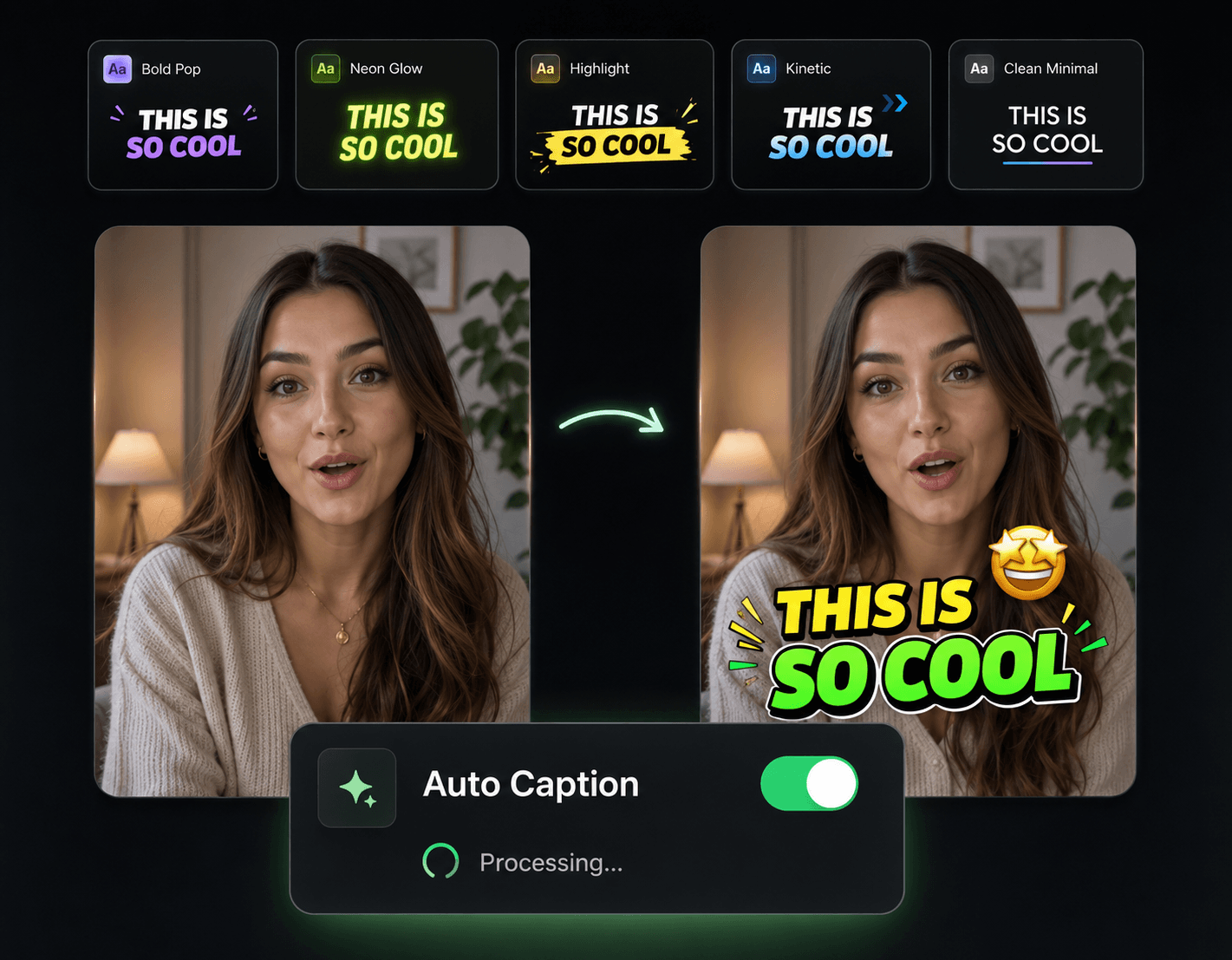
A Full Production Pipeline Behind a Text Box
Scriptwriting, footage, audio, and assembly—the four jobs that used to need four tools, handled in one pass.

Text In, Structure Out
Hand it a topic or rough bullets and the AI shapes them into a script with an opening hook, a clear through-line, and an ending that earns the watch.
Footage You Never Filmed
Each scene gets AI-generated visuals matched to what the script is saying at that moment—no shoots, no stock library subscriptions.
Narration and Captions in the Same Pass
A natural AI voice reads the script while animated captions sync to it automatically. The audio layer is done when the video is.
Made for a Posting Schedule
Because nothing needs filming, the bottleneck disappears. Queue up topics and generate videos faster than you could edit a single one by hand.
What Happens Between Text and Video

Give It Text
A topic ("5 habits of successful people"), a set of bullets, or a complete script—whatever stage your idea is at.
AI Runs the Production
Script, scene-matched visuals, voiceover, captions, and music are generated and assembled into a single finished cut.
Review, Then Publish Anywhere
Adjust whatever needs it, choose 16:9, 9:16, or 1:1, and send it to YouTube, TikTok, or Instagram.
Scale Past One Video at a Time
Generation is step one. These tools keep quality up while your output climbs.

AI B-Roll Generation
Deepen generated videos with extra supporting footage so high volume never looks low effort.

Auto Transitions
Scene changes get smoothed automatically across every video you generate.

Sound Effects
Add audio texture to generated cuts so they sound produced, not assembled.

Background Music
Keep a consistent sonic identity across your channel's entire generated catalog.

Publish & Schedule
Generate in batches, then schedule the week's uploads across platforms in one sitting.