AI Video Generator
Making one video used to mean a script, footage, a voice recording, an editing timeline, and most of a day. Eliro's AI Video Generator collapses all of it into a single prompt: type what the video should be, and in under 30 seconds you have the complete thing — script, visuals, voiceover, music, and captions — for any platform, in any format, on any topic.
- Complete Videos in Under 30 Seconds
- Shorts, Reels, YouTube, Ads & Explainers
- Script, Voice, Captions & Music Included
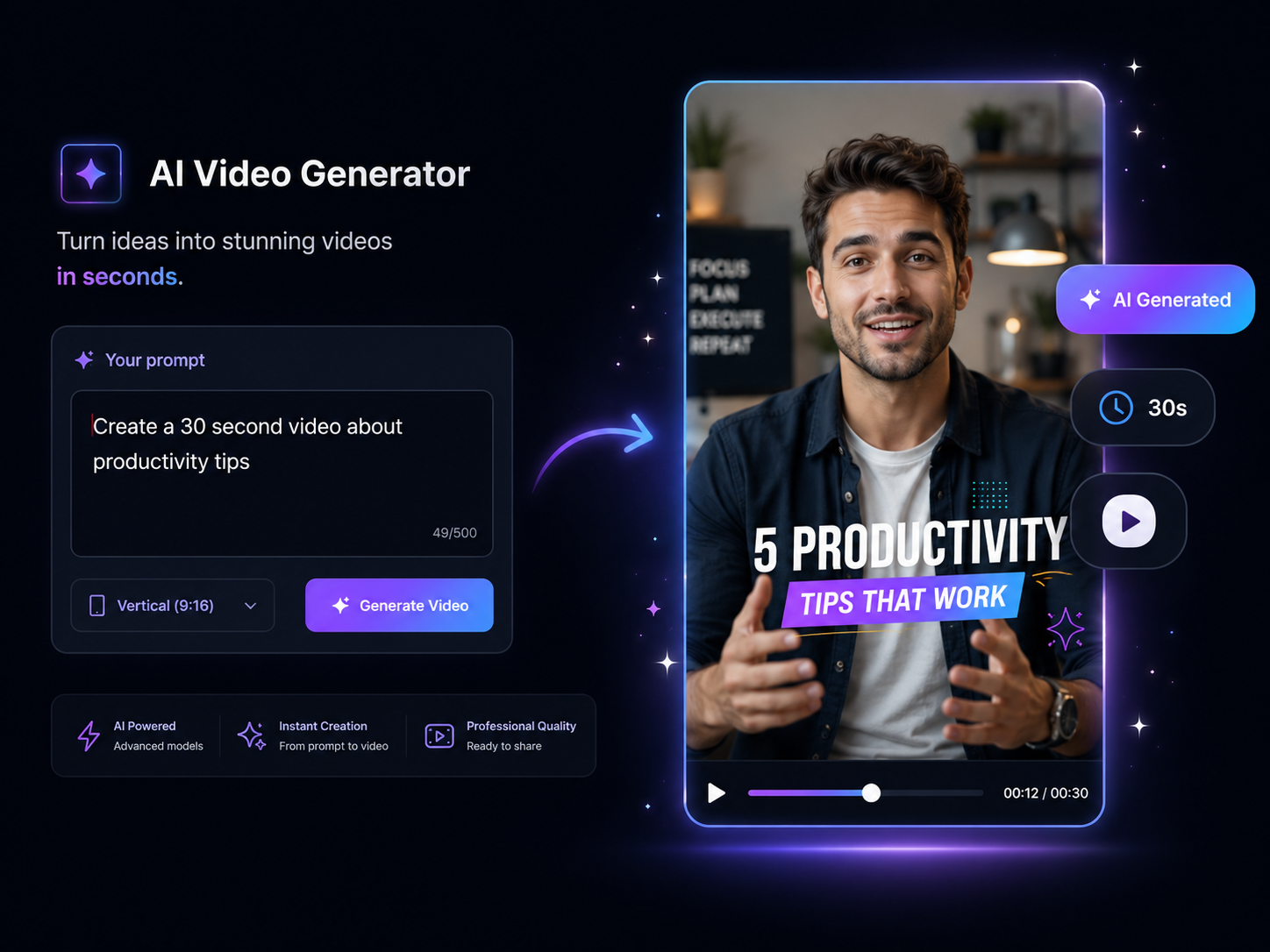
One Prompt Replaces the Whole Production Stack
Everything between the idea and the finished file is handled

The Entire Video, Not a Piece of It
Many AI tools hand you a clip, a voice file, or a script and leave the assembly to you. Eliro returns the finished video — scripted, visualized, voiced, scored, and captioned — in one generation.

Fast Enough to Batch
Under 30 seconds per video, no render queue. That speed changes the math: a day's content for every channel you run can come out of one working session.

Any Format from the Same Prompt
Vertical 9:16 for TikTok, Reels, and Shorts, widescreen 16:9 for YouTube, square 1:1 for feeds — the AI recomposes visuals and captions for each, rather than cropping one master file.

Straight to Your Channels
Publish to YouTube, TikTok, and Instagram from inside Eliro, or schedule a queue of posts ahead. The path from prompt to live video never leaves the page.
How Eliro Turns Text into Video

Write the Prompt
A topic ("5 productivity tips for remote workers"), a full script, or a rough idea — the AI works from whatever you give it and infers tone and structure.
The AI Builds Every Layer
Script, scene-matched visuals, a natural AI voiceover, background music, animated captions, and transitions are generated and assembled together.
Ship It — or Shape It
Publish directly, download the file, or open the editor to swap visuals, change the voice, or adjust pacing. Customization is there when you want it, never required.
What People Generate with It
Visuals Chosen Sentence by Sentence
The AI reads your script line by line and pairs each beat with footage, AI-generated scenes, or your own brand assets. The result watches like an edited video, not a slideshow with narration over it — whether it's an explainer, a listicle, or a story.
A Voice for Every Audience
Choose from 100+ natural AI voices across 30+ languages and accents — energetic for Shorts, measured for explainers, warm for brand stories. Faceless channel operators and camera-shy creators publish daily without ever recording themselves.

Go Deeper Than Generation
When a generated video needs a human touch, the full toolkit is one click away.
AI Video Editor
Open any generation on a timeline for scene-level control when defaults aren't enough.

AI B-Roll Generation
Generate extra footage for specific lines instead of settling for near-miss stock.

Background Music
Swap the auto-selected track for a different mood without regenerating the video.

Auto Zoom & Pan
Layer in movement on key moments to lift retention on slower sections.

Auto Transitions
Refine how scenes hand off to each other across the whole video at once.
Publish & Schedule
Queue finished videos across YouTube, TikTok, and Instagram from one calendar.
Learn more about what you can do
Related Pages
Explainer Video Maker — From Brief to Video, No Agency | Eliro
Make an explainer video from a written brief. AI handles script, scenes, and voiceover — so your product story ships this week, not next quarter.
AlternativeInVideo Alternative | Eliro vs InVideo
Compare Eliro and InVideo. Eliro generates complete viral videos from a single prompt with AI.
Use CaseAI Video for Content Creators: Post Daily | Eliro
Posting daily on YouTube, TikTok, and Instagram burns creators out. Eliro turns one idea into a finished video for every platform. Start free.
GuideHow to Make an Explainer Video with AI — Full Guide | Eliro
How to make an explainer video with AI: distill your product into one clear problem, script 90 seconds that stay on point, and embed it where buyers decide.