AI Video Splitter
A two-hour podcast episode hides at least ten strong clips. Finding them is the grind — scrubbing the timeline, marking in and out points, exporting one clip at a time. Eliro's AI Video Splitter listens to your recording, spots where scenes and topics actually change, and hands you back a folder of clips ready for TikTok, Reels, and Shorts.
- Finds Scene & Topic Changes for You
- Built for Podcasts, Streams & Webinars
- Export Every Clip in One Batch
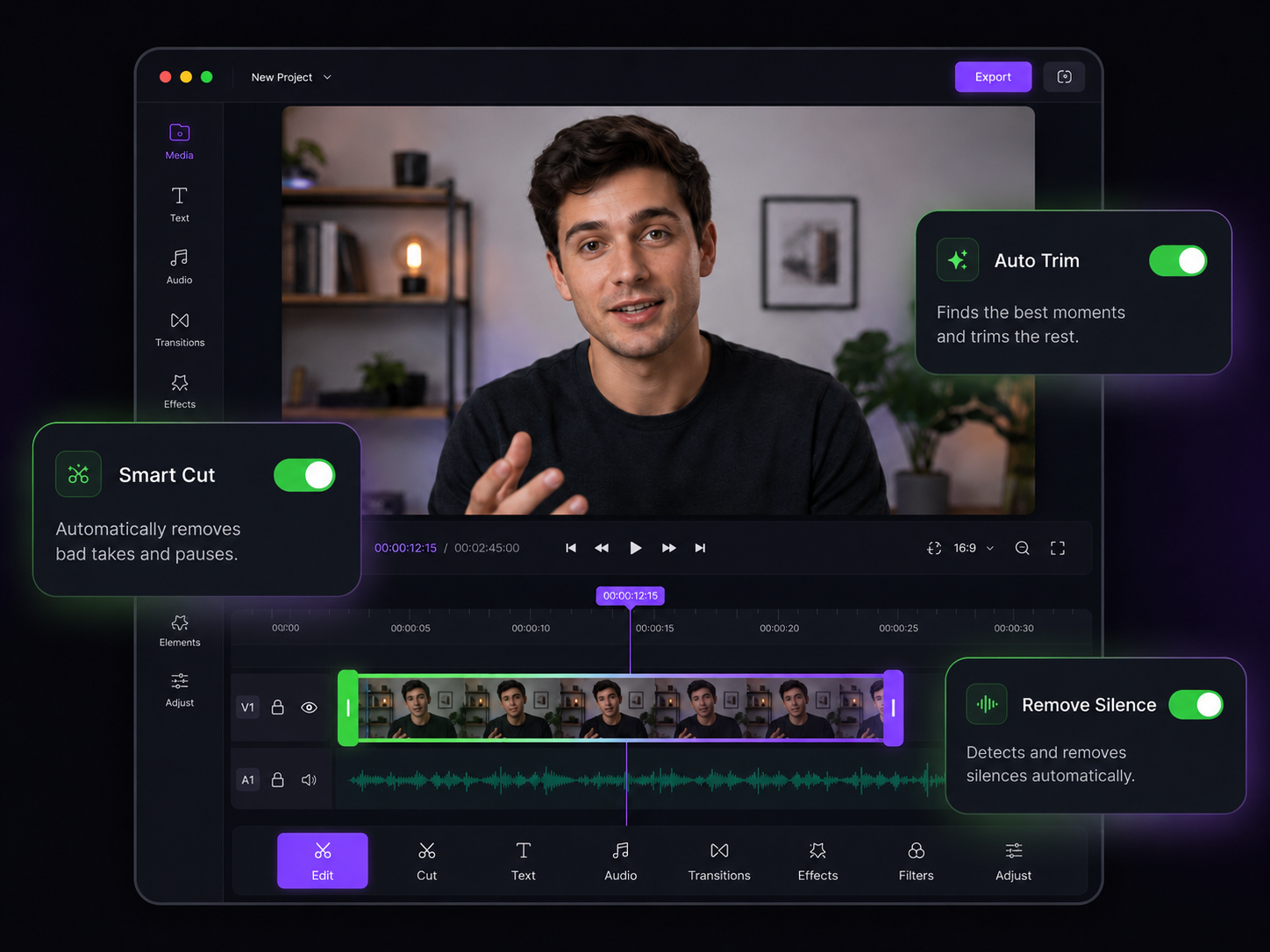
One Recording In, a Content Calendar Out
Splitting designed around repurposing long-form into short-form

Split Points You Don't Have to Hunt For
The AI reads visual cuts, speaker changes, silences, and shifts in conversation to mark natural boundaries. You review markers instead of scrubbing two hours of footage.

One Clip per Talking Point
Topic-aware splitting follows what's being said, not just what's on screen. An interview that covers five questions comes back as five self-contained clips.

Fixed-Length Clip Batches
Cutting a stream VOD into a Shorts series? Split every 30 or 60 seconds — or any interval — and get a consistent batch you can schedule across the week.

Surface the Best Moments
Highlight extraction flags the punchlines, hot takes, and peaks in your recording and pulls them out as standalone clips, so your strongest material posts first.

Batch Export, Sensible Names
Download every clip in one go. Each file is named and numbered in order, so a 40-clip podcast batch stays organized instead of becoming "final_v2 (3).mp4" chaos.

Captions That Survive the Split
Embedded subtitles are re-timed for every clip automatically. You don't have to regenerate captions forty times after cutting up one episode.
From One Recording to a Clip Library

Drop In the Long Version
Upload your podcast episode, webinar recording, or stream VOD — or paste a URL. MP4, MOV, AVI, MKV, and every other major format works.

Review the Suggested Cuts
The AI marks every scene and topic boundary it finds. Drag any marker, delete the ones you don't want, or add your own before committing.
Export the Whole Batch
Download clips one by one or grab the entire set at once, each in full quality and ready to caption, schedule, and post.
What to Do with All Those Clips
Splitting is step one. These tools turn raw clips into posts.
AI Video Merger
Recombine your best split clips into compilations and recap videos.
AI Video Trimmer
Tighten each split clip by cutting the dead air inside it too.
AI Video Cropper
Reframe widescreen podcast clips to 9:16 with the speaker kept centered.
AI Video Speed Changer
Pace up slower segments of a clip so it holds attention on short-form feeds.
AI Subtitle Burner
Burn styled captions into every clip before it goes out to sound-off viewers.
AI Video Editor
Add zooms, B-roll, and polish to standout clips that deserve extra work.
Learn more about what you can do
Related Pages
Descript Alternative | Eliro vs Descript
Compare Eliro and Descript. Eliro generates complete videos from one prompt in 30 seconds.
TemplatePromo Video Maker — Sale-Ready in Minutes | Eliro
Make a promo video for your sale, launch, or event without an agency. Describe the offer; Eliro builds visuals, voiceover, and CTA in every ad format.
Free ToolFree Video Compressor | Reduce File Size Without Quality Loss
Compress videos for free without losing quality. Reduce file size by up to 90% for faster uploads, email attachments, and storage savings.
GuideHow to Make a Video Ad with AI — Script to Launch | Eliro
Learn how to make a video ad with AI: write the offer, generate hook variations, and export the right ratio for every placement. Test more creatives for less.