AI Video Trimmer
Ten minutes of raw talking-head footage usually contains a tight three-minute video. Getting there means hunting down every pause, false start, and tangent by hand — the least rewarding part of editing. Eliro's AI Video Trimmer flags the dead air and weak stretches for you, proposes a complete cut, and lets you approve it in a single pass.
- Flags Pauses, Rambles & False Starts
- Cut Down to a Target Length
- Approve Every Cut Before Export
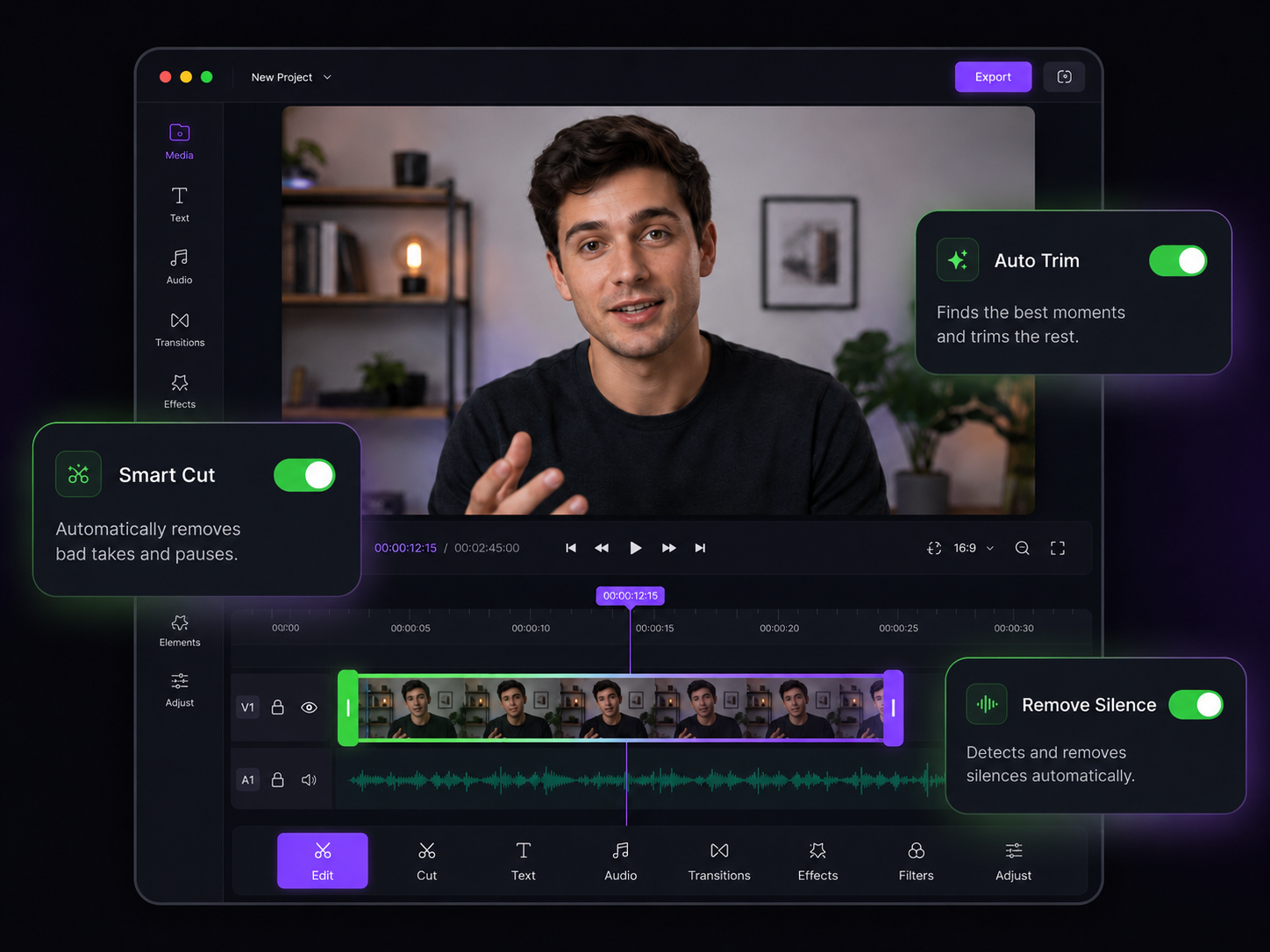
Trimming That Thinks About Retention
Every second of dead air is a reason for viewers to leave — the AI hunts them down

Dead Air, Detected
Silent gaps, long inhales before sentences, the pause while you check your notes — the AI marks them all so the awkward silence never makes the final cut.

Hit an Exact Runtime
Tell it "give me 60 seconds" and the AI keeps the strongest segments of a ten-minute recording to fit. Useful when a platform, client, or ad slot dictates the length.

Cuts That Respect Sentences
Speech-aware trimming only cuts between sentences, at scene changes, or inside pauses. You'll never get a clip that chops you off mid-thought.

Trim a Whole Course at Once
Recording lectures, tutorials, or a module of course videos? Apply the same trimming rules to the entire batch instead of editing twenty files one by one.

Seamless-Sounding Joins
Automatic crossfades at every cut point keep the audio natural. Viewers hear continuous speech, not the telltale clicks of a chopped-up recording.

Nothing Is Permanent
Preview the full proposed edit, reject any individual cut, and restore anything later. Your original recording is never touched.
Your Rough Cut, Handled

Upload the Raw Take
Drag in your unedited recording — a talking-head video, screen recording, lecture, or interview. All major formats and pasted URLs work.

Review the Proposed Cut
The AI scans for silence, filler stretches, and low-energy segments, then shows you every suggested cut on a simple list. Accept, reject, or nudge each one.

Export the Tight Version
Apply the cuts and download your trimmed video in full quality, or send it straight to your social channels.
After the Trim
A tight cut is the foundation. These tools handle what comes next.
AI Video Cropper
Reframe your trimmed video to 9:16 or 1:1 for TikTok, Reels, and Shorts.
AI Video Resizer
Output the same tight edit in every aspect ratio a platform demands.
AI Video Merger
Stitch trimmed takes together into one continuous, polished video.
AI Video Splitter
Go the other way — break a long trimmed recording into a clip series.
AI Subtitle Generator
Caption the final cut so it works with the sound off.
AI Video Editor
Add zooms, B-roll, and filler-word removal on top of your trim.
Learn more about what you can do
Related Pages
Descript Alternative | Eliro vs Descript
Compare Eliro and Descript. Eliro generates complete videos from one prompt in 30 seconds.
TemplatePromo Video Maker — Sale-Ready in Minutes | Eliro
Make a promo video for your sale, launch, or event without an agency. Describe the offer; Eliro builds visuals, voiceover, and CTA in every ad format.
Free ToolFree Video Compressor | Reduce File Size Without Quality Loss
Compress videos for free without losing quality. Reduce file size by up to 90% for faster uploads, email attachments, and storage savings.
GuideHow to Make a Video Ad with AI — Script to Launch | Eliro
Learn how to make a video ad with AI: write the offer, generate hook variations, and export the right ratio for every placement. Test more creatives for less.