Automatic Video Editor
Recording takes you twenty minutes. Editing takes the rest of the week—and that's why three raw takes are sitting in a folder right now instead of on your channel. Eliro's automatic video editor runs the entire post-production pass in one go: it trims the silences and retakes, places B-roll over the dry stretches, drops in captions, and hands back a finished timeline you can tweak or just export.
The Whole Post-Production Pass, Not One Trick
Cutting, framing, captions, and B-roll run together—because a real edit needs all of them

Edit Decisions, Not Templates
The AI watches your actual footage and decides what to keep, where to cut, and what to cover—so the result fits your video instead of forcing it into a preset.
Reframes for Every Platform
Shot horizontal but posting vertical? Auto framing keeps you centered as it crops to 9:16, even when you move around the shot.
Captions Included in the Pass
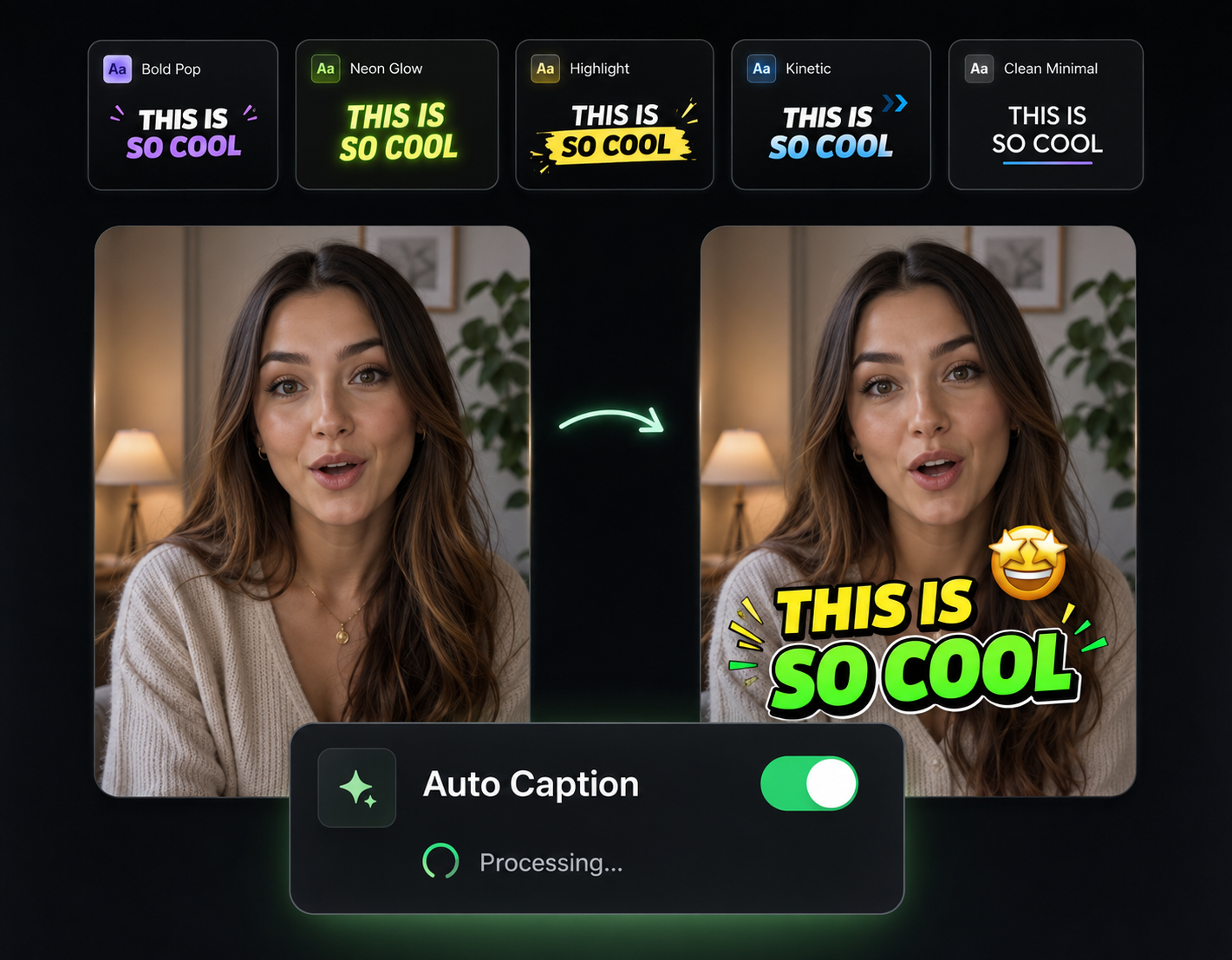
Transcription, timing, and animated caption styling happen inside the same edit run—no exporting to a separate captioning tool afterward.
B-Roll Over the Dry Parts
Long explanation with nothing on screen? The AI detects it and covers it with relevant footage so viewers aren't staring at the same shot for two minutes.
Your New Editing Workflow

Upload the Messy Take
One long recording, coughs and false starts included. That's genuinely all the preparation the AI needs.
Walk Away While It Edits
The AI cuts dead air, places B-roll and zooms, adds captions, and assembles the timeline. You're not needed for any of it.
Tweak or Just Export
Come back to a finished edit. Adjust anything on the timeline if you want—or hit export and start writing the next video.
The Tools Running Under the Hood
The automatic editor chains Eliro's individual AI tools into one pass. Each is also available on its own when you want finer control.

AI B-Roll Generation
The footage the auto-editor uses to cover talky stretches—run it standalone for full control.

Remove Filler Words
The cleanup engine that strips "ums" and pauses during the automatic pass.

Auto Zoom & Pan
The movement layer the editor applies so your auto-edited footage never sits static.

Auto Transitions
How the editor smooths the cuts it makes—usable separately on edits from any tool.

Background Music
Add a music bed to the finished edit with levels balanced under your voice.

Publish & Schedule
Send the exported video straight to YouTube, TikTok, or Instagram without leaving Eliro.
Learn more about what you can do
Related Pages
Descript Alternative | Eliro vs Descript
Compare Eliro and Descript. Eliro generates complete videos from one prompt in 30 seconds.
TemplatePromo Video Maker — Sale-Ready in Minutes | Eliro
Make a promo video for your sale, launch, or event without an agency. Describe the offer; Eliro builds visuals, voiceover, and CTA in every ad format.
Free ToolFree Video Compressor | Reduce File Size Without Quality Loss
Compress videos for free without losing quality. Reduce file size by up to 90% for faster uploads, email attachments, and storage savings.
GuideHow to Make a Video Ad with AI — Script to Launch | Eliro
Learn how to make a video ad with AI: write the offer, generate hook variations, and export the right ratio for every placement. Test more creatives for less.