ChatGPT Video Generator
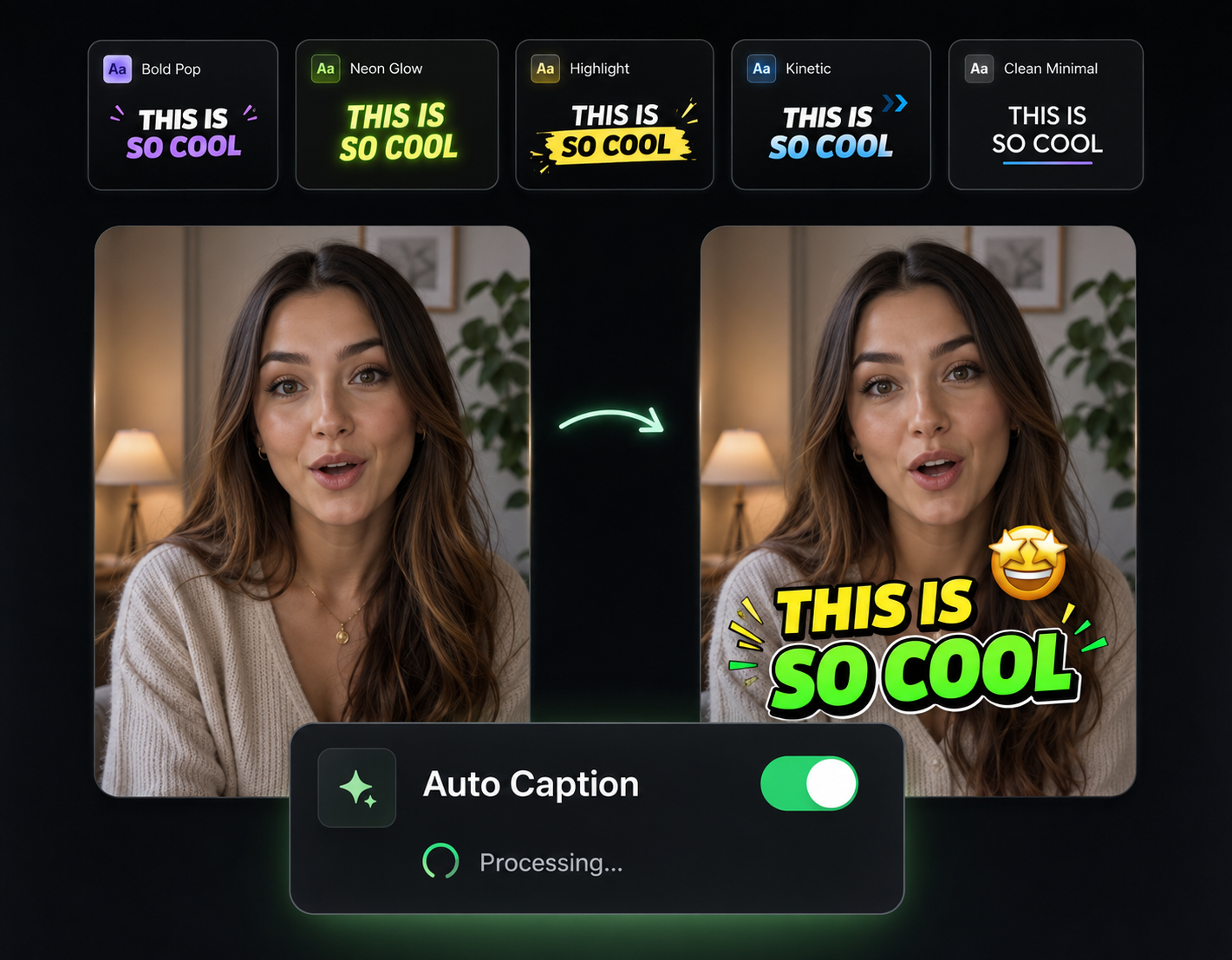
You've got a ChatGPT response sitting in a tab right now—a listicle, an explainer, a story—that would make a solid video. The gap has always been everything after the text: visuals, narration, captions, assembly. Eliro closes that gap. Paste the response and the AI builds the video around it: a scene for each section, a voiceover reading it, captions synced to every word.
Everything Between the Paste and the Post
ChatGPT wrote the words. Eliro handles the rest of the production.

Paste Raw, No Reformatting
Numbered lists, paragraphs, Q&A threads, even a messy conversation export—the AI restructures whatever you paste into a video script with a hook and pacing.
A Scene Per Idea
Each point in your ChatGPT response becomes its own scene with AI-generated visuals that match what the text is saying—no stock-footage hunting.
Narration + Synced Captions
An AI voice reads your content while word-synced animated captions carry viewers who watch on mute. Both generated in the same pass.
Formatted for the Destination
Export 16:9 for YouTube, 9:16 for Shorts, TikTok, and Reels, or 1:1 for feeds. One prompt's worth of content can ship to all of them.
Paste, Generate, Publish

Copy From ChatGPT, Paste Into Eliro
Grab the response straight from your chat—listicle, essay, script, or how-to. No cleanup needed before pasting.
The AI Produces the Video
Eliro restructures the text, generates a visual for each section, records the voiceover, and syncs animated captions.
Review and Ship It
Swap any visual, adjust the script, pick a different voice—then export or publish straight to your platforms.
Round Out the Prompt-to-Post Pipeline
Once ChatGPT content becomes video, these tools handle the finishing and the distribution.

Background Music
Set the mood under the narration—a music bed makes generated videos feel produced, not assembled.

Sound Effects
Punctuate list items and reveals with effects so each ChatGPT point lands harder.

AI B-Roll Generation
Need richer visuals on a section? Generate extra footage to swap into any scene.
AI Video Editor
Open the generated video in a full editor when a scene needs hands-on adjustment.

Publish & Schedule
Queue a week of prompt-built videos across YouTube, TikTok, and Instagram in one session.
Learn more about what you can do
Related Pages
Explainer Video Maker — From Brief to Video, No Agency | Eliro
Make an explainer video from a written brief. AI handles script, scenes, and voiceover — so your product story ships this week, not next quarter.
AlternativeInVideo Alternative | Eliro vs InVideo
Compare Eliro and InVideo. Eliro generates complete viral videos from a single prompt with AI.
Use CaseAI Video for Content Creators: Post Daily | Eliro
Posting daily on YouTube, TikTok, and Instagram burns creators out. Eliro turns one idea into a finished video for every platform. Start free.
GuideHow to Make an Explainer Video with AI — Full Guide | Eliro
How to make an explainer video with AI: distill your product into one clear problem, script 90 seconds that stay on point, and embed it where buyers decide.