Add Text to Video
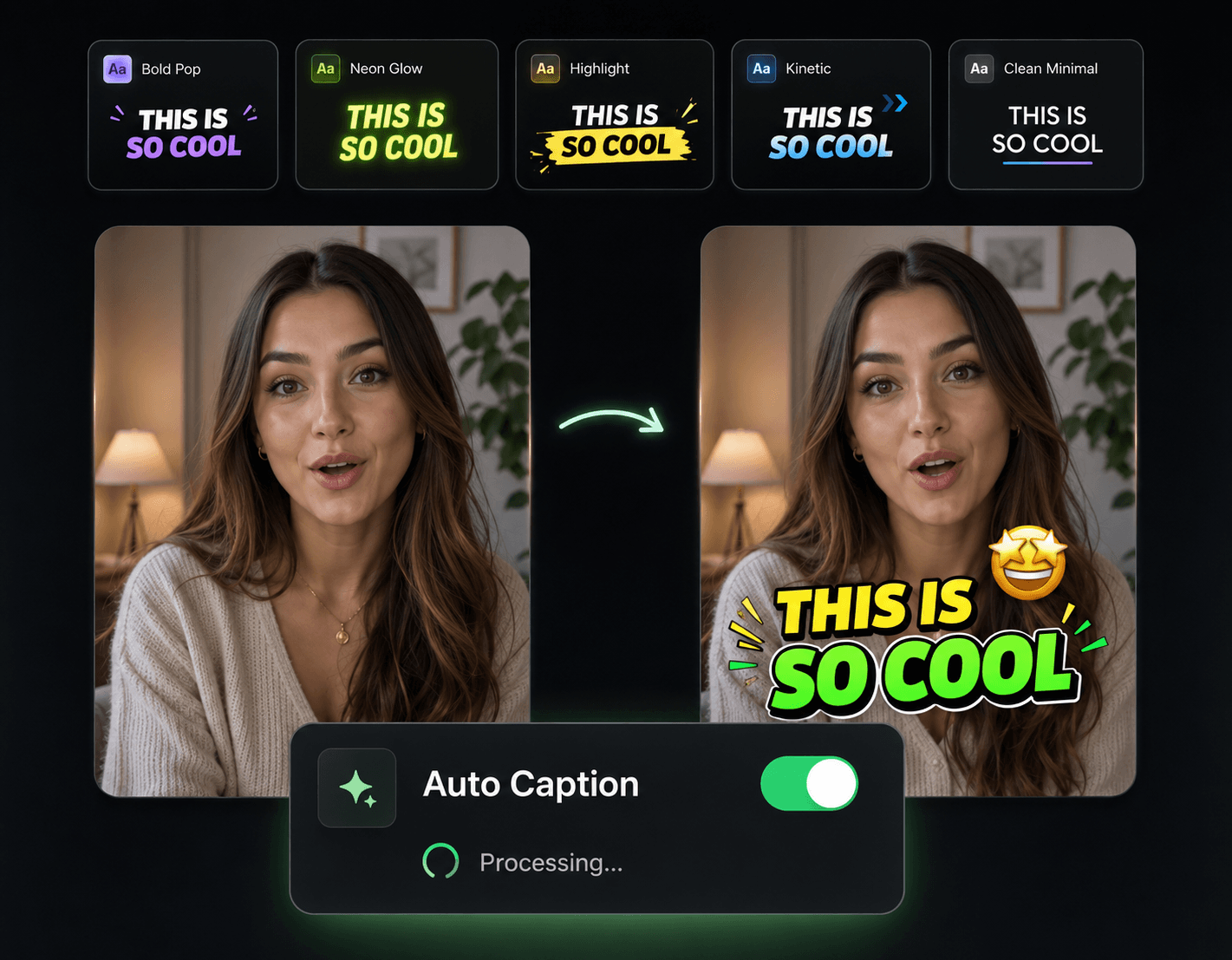
Some of your on-screen text comes from the audio; the rest you write yourself — the hook headline at the top of the frame, the "wait for it," the price callout, the lower third with your name. Eliro covers both: captions auto-generated from speech, plus custom text overlays you can drop anywhere, animate, and style without opening an editing suite.
- Free & No Watermark
Every Kind of On-Screen Text, One Tool
Hooks, captions, callouts, and lower thirds — written by you or generated from your audio

Auto Text from Speech
The AI transcribes your audio and turns it into time-synced captions, so the spoken half of your text writes itself.

Custom Overlays, Placed Anywhere
Hook headlines, step numbers, price tags, "link in bio" callouts, lower thirds — type the text and drop it exactly where it belongs in the frame.

Animation That Stays Legible
Word reveals, slides, and fades tuned for readability. Your text moves enough to catch the eye without becoming a blur.

Free & No Watermark
Generate stunning subtitles for free and export every video at full quality with no watermark. Post them straight to TikTok, Reels or Shorts instantly.
Put Text on Your Video in Minutes

Upload and Pick Your Text Source
Bring in your video, then choose: auto-generate text from the audio, write your own overlays, or do both.
Place and Style Each Element
Position headlines, captions, and callouts on the frame. Set fonts, colors, sizes, and animations per element.
Export Platform-Ready
Preview the result in your target aspect ratio and download a clean file with all text rendered in.
Text That Earns Its Place on Screen
Hook Text That Stops the Scroll
The headline overlay in the first second often decides whether anyone watches the rest. Use bold, animated hook styles proven across short-form feeds — without designing them from scratch.
Captions for the Sound-Off Crowd
Pair your custom overlays with auto-generated captions so the video makes sense on mute — where a large share of social viewing actually happens.
Text Is One Layer — Stack the Rest

Auto Zoom & Pan
Camera movement that draws the eye toward your text moments instead of away from them.

Sound Effects
A pop or whoosh as each text element lands makes overlays feel deliberate.

Auto Transitions
Clean scene changes so your text isn't doing all the work between clips.

AI B-Roll Generation
Generated footage to sit behind your headlines when the original shot is too busy.
AI Video Editor
Full editing with smart cuts when the project outgrows a text pass.