Post Video on LinkedInWithout Filming Yourself
You've watched people with half your experience pull hundreds of comments with video while your text posts collect twelve likes. The blocker isn't ideas — it's recording yourself. Eliro turns the insight you were about to type into a captioned, professional video. No camera, no ring light, no fourteenth take.
- No Camera, No Talking Head
- Captions Burned In for Muted Feeds
- Square or Landscape, LinkedIn-Ready
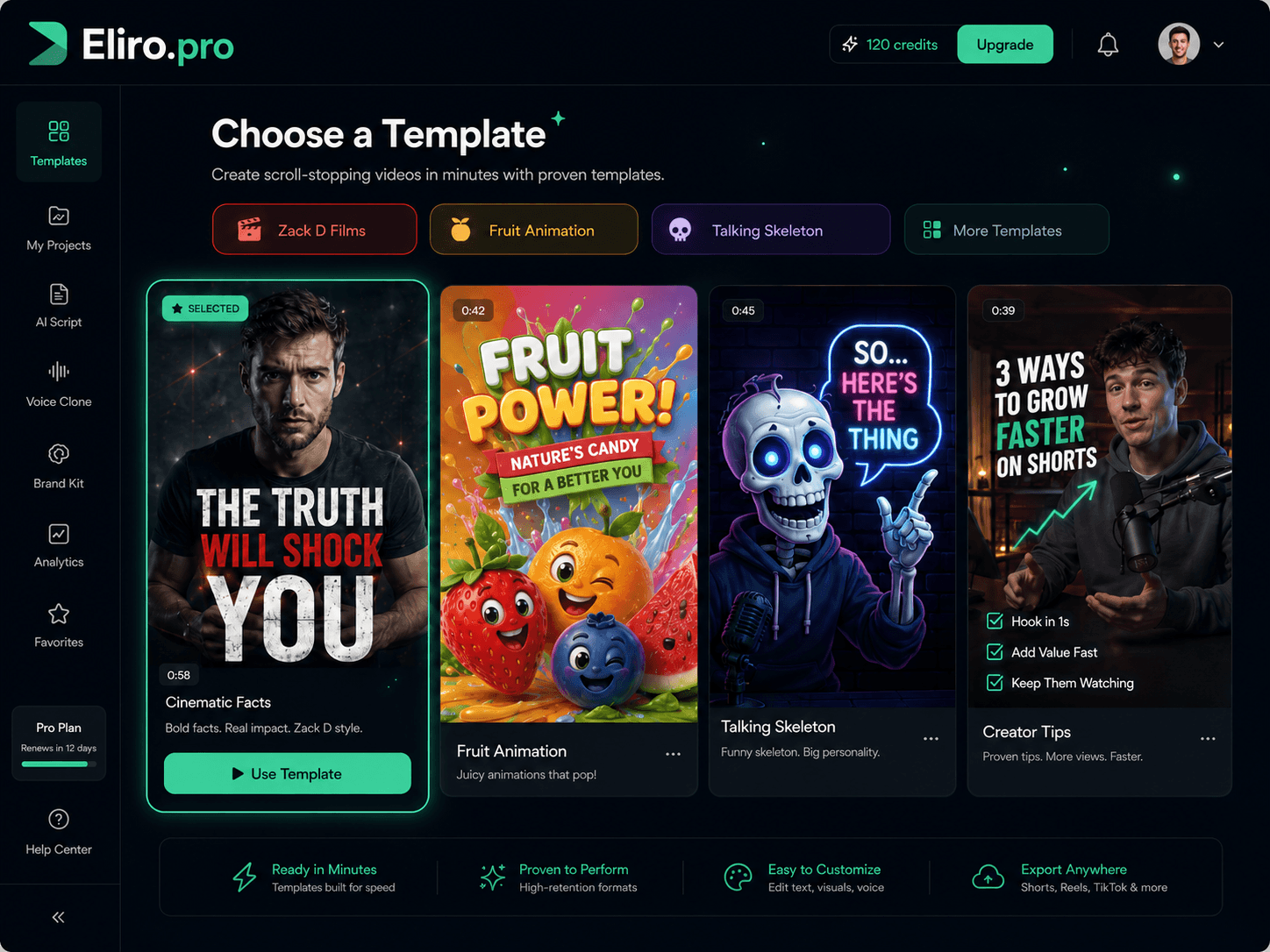
From Typed Insight to Feed-Ready Video

Start with What You'd Have Typed
Paste the post you were about to write, a blog article, or just the idea: "what firing my first client taught me" or "3 hiring mistakes I keep seeing." Your usual LinkedIn material is the input.

Eliro Builds the Professional Cut
A tight script with a hook in the first two seconds, clean business-appropriate visuals, a confident voiceover, and captions burned in — because LinkedIn autoplays on mute.

Upload Native, Not as a Link
Export 1:1 for maximum space in the mobile feed or 16:9 for desktop audiences, then upload the file directly to LinkedIn. Native video autoplays; a pasted link just sits there as a thumbnail.
Built for the LinkedIn Feed Specifically
Professional tone, silent autoplay, two seconds to stop the scroll. These are LinkedIn's rules — Eliro plays by them.

Hooks That Survive the Scroll
LinkedIn decides within the first two seconds whether your video keeps getting shown. Scripts open with the tension — "I almost lost my biggest client" — before the lesson.

Visuals That Pass the Coworker Test
Clean, business-appropriate footage and graphics. Nothing you'd wince at if your boss, a client, or your next employer scrolled past it.
Captions for the Open-Office Scroll
Most LinkedIn video gets watched on mute at a desk or in a meeting. Captions are generated and burned in automatically, so your point lands in silence.
A Voice That Sounds Like a Peer
Voiceovers that sound like a knowledgeable colleague, not an ad read. Multiple tones and accents, so the narration matches how you actually write.
Your Name on Every Frame
Add your headshot, name, title, brand colors, and logo. When the video gets reshared outside your network, viewers still know exactly whose insight it is.
One Article, a Week of Posts
Paste a blog post or newsletter and break it into several short videos. The 1,200-word article nobody clicked becomes five posts people actually finish.
LinkedIn Videos Generated with Eliro
Why Video Is Worth the Switch on LinkedIn
Text posts are easy to write — and just as easy to scroll past.
Stand Out in a Text-Heavy Feed
Most of LinkedIn is still text and stock-photo carousels. Video takes up more screen, holds attention longer, and dwell time is exactly what the algorithm rewards.
Professionals Posting Video with Eliro

Alex Rivera
@arivera_design
Eliro saved me hours on every single video — what used to take me all day now takes minutes. My views have absolutely exploded since I switched.

Sarah Jenkins
@sarahj_creates
The AI video generation is simply mind-blowing. I've never seen anything this fast and accurate.

Michael Chen
@mchen_vids
Switched from other tools and never looking back. The workflow is seamless from text to published video.

Jessica Lee
@jesslee_social
My engagement has tripled since I started using Eliro for my shorts. Absolute game changer.
Alex Rivera
@arivera_design
Eliro saved me hours on every single video — what used to take me all day now takes minutes. My views have absolutely exploded since I switched.
Sarah Jenkins
@sarahj_creates
The AI video generation is simply mind-blowing. I've never seen anything this fast and accurate.
Michael Chen
@mchen_vids
Switched from other tools and never looking back. The workflow is seamless from text to published video.
Jessica Lee
@jesslee_social
My engagement has tripled since I started using Eliro for my shorts. Absolute game changer.
Alex Rivera
@arivera_design
Eliro saved me hours on every single video — what used to take me all day now takes minutes. My views have absolutely exploded since I switched.
Sarah Jenkins
@sarahj_creates
The AI video generation is simply mind-blowing. I've never seen anything this fast and accurate.
Michael Chen
@mchen_vids
Switched from other tools and never looking back. The workflow is seamless from text to published video.
Jessica Lee
@jesslee_social
My engagement has tripled since I started using Eliro for my shorts. Absolute game changer.

David Kim
@dkim_studio
This is the future of content creation. The quality of the AI generation is unmatched.

Emma Wilson
@emma_w_marketing
Eliro handles everything - generation, subtitles, scheduling. It's like having a full production team.

Olivia Martinez
@oliviam_art
I was skeptical at first, but the results speak for themselves. The best AI video tool on the market.

James Wilson
@jamesw_tech
Finally, a tool that actually delivers on its promises. High quality video generation in seconds.
David Kim
@dkim_studio
This is the future of content creation. The quality of the AI generation is unmatched.
Emma Wilson
@emma_w_marketing
Eliro handles everything - generation, subtitles, scheduling. It's like having a full production team.
Olivia Martinez
@oliviam_art
I was skeptical at first, but the results speak for themselves. The best AI video tool on the market.
James Wilson
@jamesw_tech
Finally, a tool that actually delivers on its promises. High quality video generation in seconds.
David Kim
@dkim_studio
This is the future of content creation. The quality of the AI generation is unmatched.
Emma Wilson
@emma_w_marketing
Eliro handles everything - generation, subtitles, scheduling. It's like having a full production team.
Olivia Martinez
@oliviam_art
I was skeptical at first, but the results speak for themselves. The best AI video tool on the market.
James Wilson
@jamesw_tech
Finally, a tool that actually delivers on its promises. High quality video generation in seconds.
Learn more about what you can do
Related Pages
AI Video Generator for Instagram — Daily Reels | Eliro
Generate Instagram Reels from one line of text — footage, voiceover, word-by-word captions, and music in 9:16. Post daily without filming anything.
Free ToolFree TikTok Video Maker | Create Viral TikToks with AI
Make TikTok videos for free with AI. Auto-generate viral-ready content with trending effects, captions, and music. No editing experience needed.
IndustryAI Video for Instagram Growth | Daily Reels Without Burnout
Grow on Instagram with AI-generated Reels and Stories that match your aesthetic. Post daily without burnout -- create, schedule, and publish in one place.
Use CaseAI Video for Social Media Managers | Eliro
Feed every content calendar without an editor. Eliro turns briefs into platform-ready video for Reels, TikTok, and LinkedIn -- scheduled from one dashboard.