Repurpose Long Videos into Shorts
A 45-minute podcast episode usually hides ten or more clip-worthy moments — a hot take, a story, a sharp answer to a good question. Eliro's AI reads the full transcript, pulls those moments out, reframes each one to vertical, and captions it for the feed. One upload becomes weeks of Shorts, Reels, and TikToks.
Built for Podcasters and Long-Form Channels
The AI does the watching, scoring, and reframing — you just approve the clips

Hook Detection from the Transcript
The AI scans your transcript for strong claims, stories, and self-contained answers — the moments that hold attention as standalone clips, not random 30-second slices.
Speaker-Tracked Vertical Reframing
Landscape interview footage becomes clean 9:16. The crop follows whoever is talking, so faces stay centered even when host and guest trade turns.
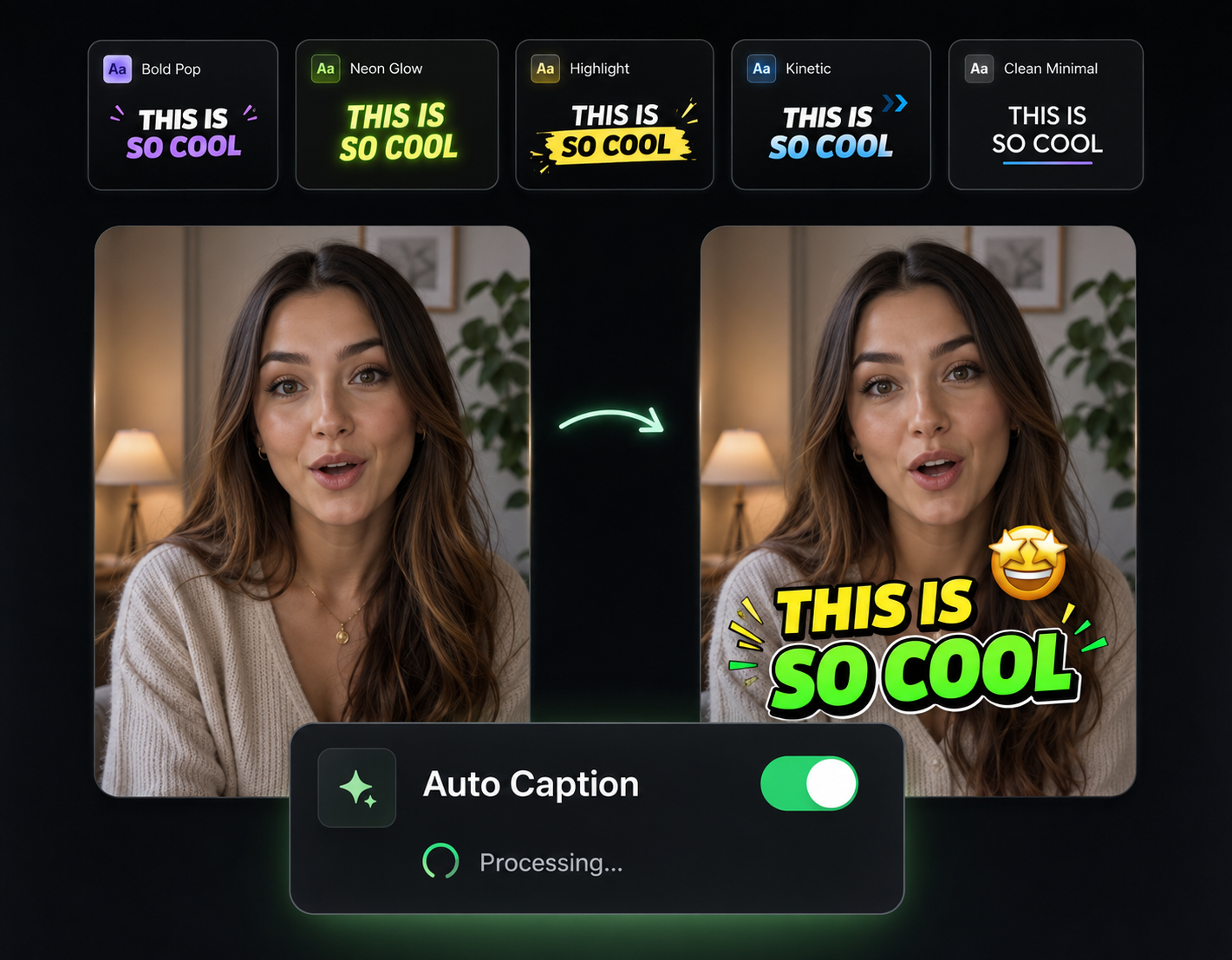
Captions on Every Clip
Each clip exports with animated captions already timed to the audio — ready for feeds where most people watch with the sound off.
A Batch, Not One Clip
A one-hour episode can come back as 15-20 ready-to-post clips. Review the stack, drop the weak ones, and schedule the rest across your calendar.
From One Upload to a Clip Library

Drop In the Episode
Upload your podcast, webinar, or long-form video file — or just paste the YouTube link and let Eliro pull it in.
Review the AI's Picks
The AI scores the transcript, cuts the strongest segments, and reframes each one to vertical with captions applied.
Approve, Tweak, Post
Adjust in and out points or caption styles where needed, then export the whole batch — enough clips to fill your posting schedule for weeks.
Sharpen Each Clip Before It Ships
A clip pulled from a longer recording often needs a little polish. These tools handle it.

Remove Filler Words
Clips cut from live conversation are full of "ums" and "ahs." Strip them out so every second of a 30-second clip earns its place.

Auto Zoom & Pan
Add subtle zooms and pans to talking-head clips so static podcast footage still feels alive in the feed.

Background Music
Lay a quiet music bed under conversational clips to smooth out rough room audio and set the mood.

AI B-Roll Generation
Cover visual dead spots in interview clips with AI-generated B-roll that matches what's being said.

Publish & Schedule
Push your approved clip batch straight to TikTok, Reels, and Shorts on a schedule instead of uploading one by one.
Learn more about what you can do
Related Pages
Free Video Background Remover | Remove Backgrounds with AI
Remove video backgrounds for free with AI. Clean edges, real-time processing, and custom background replacement. No green screen needed.
TemplatePromo Video Maker — Sale-Ready in Minutes | Eliro
Make a promo video for your sale, launch, or event without an agency. Describe the offer; Eliro builds visuals, voiceover, and CTA in every ad format.
AlternativeCapCut Alternative | Eliro vs CapCut
Compare Eliro and CapCut. Eliro generates complete AI videos from one prompt in 30 seconds with unlimited exports.
GuideHow to Make a Promo Video with AI for Any Campaign
Learn how to make a promo video with AI: write the offer as a brief, get a scroll-stopping hook and deadline overlays, then cut a version for every placement.