AI Reel Generator
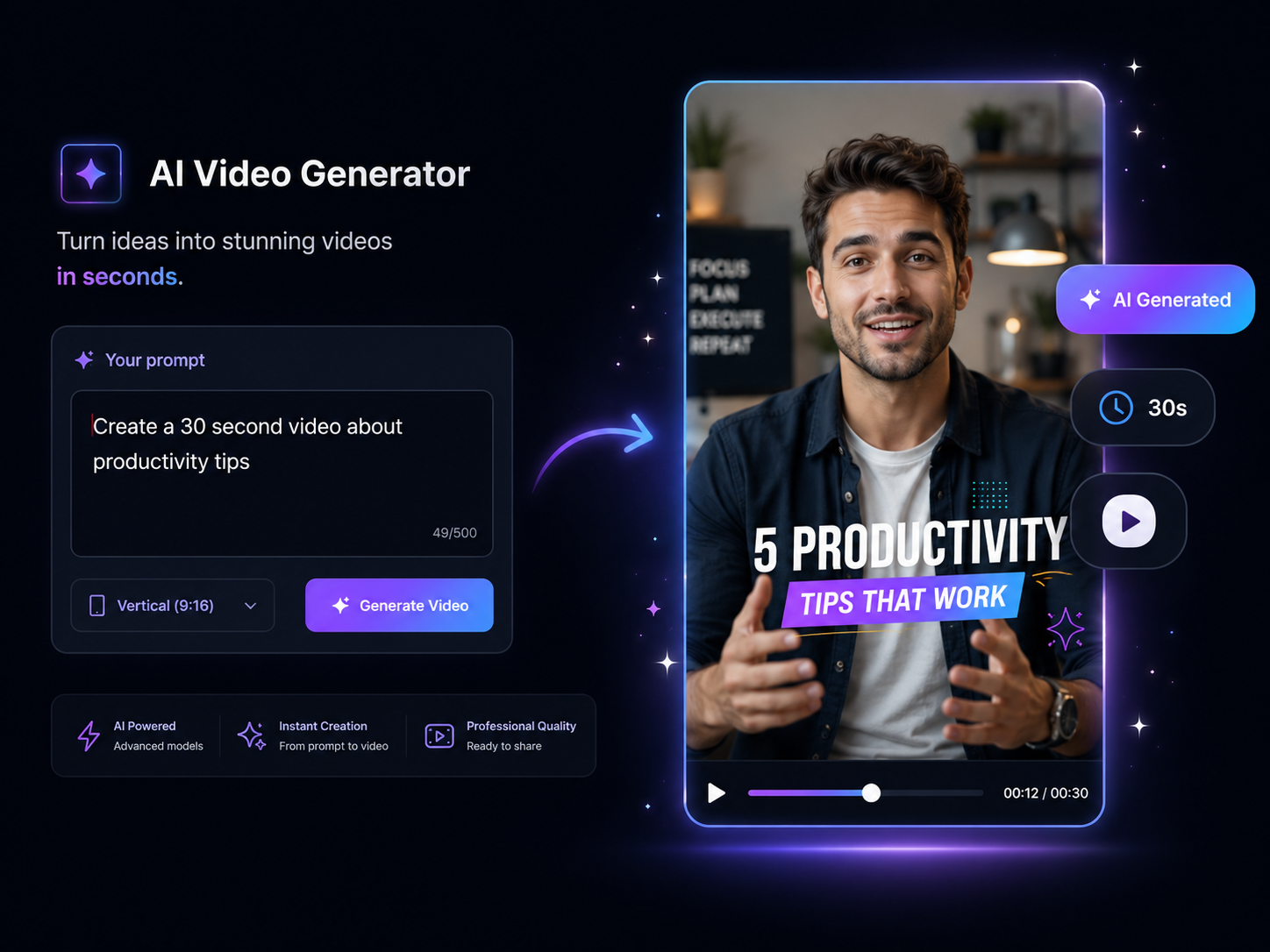
Reels are how Instagram shows your content to people who don't follow you — but only if the algorithm decides yours is worth pushing. Eliro's AI Reel Generator builds each Reel around the signals Instagram rewards: watch time in the opening seconds, saves, shares, and clean vertical composition. Type an idea and get back a Reel that looks at home in the feed.
- Pacing Tuned for Explore Reach
- Caption Styles Native to Instagram
- Batch a Week of Reels in One Sitting
Made for How Instagram Distributes Reels
Reach on Instagram comes from saves, shares, and replays — every feature here serves one of those
Audio Matched to the Mood
The AI pairs your Reel with royalty-free music that fits current Instagram aesthetics — and times your cuts to the beat, the detail that separates polished Reels from slideshow-feeling ones.
Front-Loaded Watch Time
Instagram measures whether viewers stay past the first moments before deciding to push a Reel to Explore. Eliro structures every Reel to deliver its promise early and re-hook before each drop-off point.
Captions in Instagram's Visual Language
Word-by-word reveals, clean sans-serif styling, and safe-zone placement that clears the username, caption, and action buttons in the Reels player. Nothing important hides behind UI.
Transitions That Feel Intentional
Beat-synced switches, zoom cuts, and fade-throughs applied where they serve the content — the polished-but-not-overproduced look that performs on Instagram.
Built for Saves and Shares
List-style and tip-style Reels structured so viewers save them for later and send them to friends — the two engagement signals Instagram weighs most heavily for distribution.
Captions and Hashtags Written for You
Every Reel ships with a post caption and a niche-matched hashtag set, so publishing doesn't stall at the "what do I write under this" step.
Idea to Posted Reel
Type the Idea
Enter a concept like "5 skincare mistakes everyone makes" or paste a script. The AI shapes it into a Reel structure that earns saves and shares.
Watch It Come Together
Visuals, beat-matched audio, animated captions, and transitions are assembled into a complete vertical Reel in seconds.
Publish with Caption and Hashtags
Tweak anything you like, then download or post straight to Instagram — with the caption and hashtag set already written.
A Reels Workflow That Survives the Algorithm
Reach Beyond Your Followers
Reels are Instagram's discovery surface — they're shown on Explore and in the Reels tab to accounts that have never seen you. Eliro structures content around the watch-time and engagement signals that earn that placement, so every Reel is a chance to grow rather than just feed existing followers.
An Aesthetic That Matches Your Grid
Instagram audiences notice visual consistency. Set your fonts, colors, and visual style once, and every generated Reel matches — so your profile reads as a curated brand, not a random clip dump. Reel covers stay clean for the grid view, too.
Round Out Your Instagram Toolkit
Generating the Reel is half the job. These tools cover the rest of an Instagram workflow.

Background Music
Layer in tracks that fit Instagram's aesthetic when you want a specific mood the auto-pick didn't choose.

Auto Zoom & Pan
Add subtle motion to static shots so your Reel never feels like a photo slideshow.

Auto Transitions
Smooth scene changes that keep the polished look Instagram audiences expect.

Publish & Schedule
Queue your batch of Reels for the week and keep a consistent posting cadence on autopilot.

AI Video Editor
Open any generated Reel for fine-grained edits when a clip needs a personal touch.
Learn more about what you can do
Related Pages
AI Video Generator for YouTube — Idea to Upload | Eliro
Generate upload-ready YouTube videos from a topic prompt. Script, voiceover, visuals, and captions handled — so a 10-minute video doesn't cost a weekend.
Free ToolFree TikTok Video Maker | Create Viral TikToks with AI
Make TikTok videos for free with AI. Auto-generate viral-ready content with trending effects, captions, and music. No editing experience needed.
Use CaseAI Video for Social Media Managers | Eliro
Feed every content calendar without an editor. Eliro turns briefs into platform-ready video for Reels, TikTok, and LinkedIn -- scheduled from one dashboard.
TemplateMake Instagram Reels with AI — Free Reel Maker | Eliro
Turn a written idea into a ready-to-post Instagram Reel. Eliro builds the 9:16 video, transitions, captions, and music so you can post daily without an editor.